In today’s fast-evolving world of home security, smart lock compatibility is a crucial factor for anyone considering upgrading their entryway. Whether you’re a homeowner, a renter searching for the best smart lock for apartments, or a property manager overseeing multiple units, understanding how smart locks integrate with your doors, devices, and lifestyle is essential. This MacArthur Locks & Doors' comprehensive guide covers all you need to know about every aspect of smart lock selection and setup—from installation advice to the newest Wi-Fi smart locks—so you can make the best choice for your security needs.
What Is Smart Lock Compatibility and Why Does It Matter?
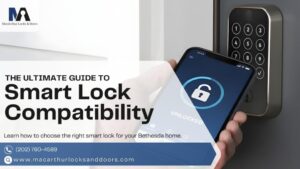
Smart lock compatibility refers to how well a smart lock works with your door's existing hardware, smart home systems, and connectivity options. Not all smart locks fit every door, nor do they all work seamlessly with every smart home platform. Ensuring compatibility means you’ll enjoy a smoother installation process, reliable performance, and the convenience of remote access and integration with other devices.
As you review your options for integrating a smart lock, be sure to check the following:
- Door Type and Thickness: Not all smart locks fit every door. Check the lock’s specifications for door thickness and backset requirements.
- Lock Type: Some smart locks replace deadbolts, while others retrofit over existing locks. Make sure your door’s lock type matches the smart lock’s design.
- Connectivity: Wi-Fi smart locks, Bluetooth, Z-Wave, and Zigbee options offer different integration possibilities. Choose one that matches your smart home ecosystem.
- Smart Home Integration: If you use Alexa, Google Assistant, or Apple HomeKit, ensure your smart lock is compatible with your preferred platform.
How to Choose the Right Smart Lock for Your Door
Before purchasing a smart lock, inspect your door’s current hardware. Measure the thickness, check the backset, and note whether you have a single-cylinder deadbolt or a mortise lock. Many smart lock reviews highlight the importance of this step, as improper fit can lead to security vulnerabilities or installation headaches.
Follow these simple checks to determine if your door is a good fit for a smart lock upgrade.
- Measure Door Thickness: Most smart locks fit doors between 1-3/8” and 2” thick.
- Check Backset: The distance from the edge of the door to the center of the lock hole should match the smart lock’s requirements.
- Identify Lock Type: Deadbolts are the most common for smart lock installation, but some models work with mortise or euro-profile locks.
- Inspect Door Material: Wood, metal, and fiberglass doors may require different installation approaches.
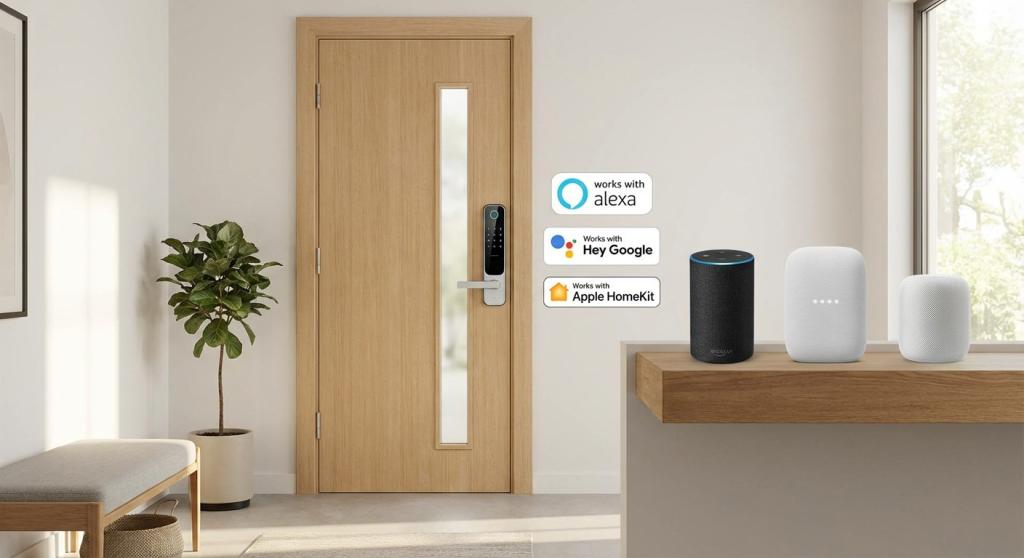
Which Smart Locks Work with Alexa, Google, and Apple HomeKit?
Smart lock compatibility extends beyond physical fit—it’s also about digital integration. Leading Wi-Fi smart locks often support multiple platforms, but not all do. Here’s what to look for:
- Alexa: Many smart locks, like August and Schlage Encode, offer Alexa integration for voice control and routines.
- Google Assistant: Look for locks with Google Home compatibility for seamless voice commands and automation.
- Apple HomeKit: Fewer locks support HomeKit, but options like the Level Lock and Schlage Encode Plus are excellent choices.
When reading smart lock reviews, pay attention to which platforms are supported and whether additional hubs or bridges are required.
The Best Smart Lock for Apartments: What Renters Need to Know
If you’re renting, you may face restrictions on modifying door hardware. Good thing, many smart locks are built for simple installation and removal, which makes them perfect for apartment living.
- Retrofit Smart Locks: Models like August Smart Lock Pro attach to your existing deadbolt, allowing you to keep your original keys.
- No-Drill Options: Some Wi-Fi smart locks use adhesive or clamp-on mechanisms, minimizing damage to doors.
- Permission: Be sure to get consent from your landlord or property manager before installing a smart lock in an apartment.
Smart lock compatibility for apartments means finding a solution that’s secure, easy to install, and removable when you move out.
Smart Lock Installation: DIY or Professional Help?
Installing a smart lock can be a straightforward DIY project, but compatibility issues can arise. Here’s a general process:
- Remove Existing Lock (if necessary): For replacement models, take out the old deadbolt.
- Install the Smart Lock: Follow the manufacturer’s instructions, ensuring all components fit snugly.
- Connect to Wi-Fi or Hub: For Wi-Fi smart locks, connect to your home network or smart home hub.
- Test Functionality: Ensure the lock operates smoothly via app, keypad, and physical key (if applicable).
- Troubleshoot: If you encounter issues, consult smart lock reviews or contact customer support.
For complex doors or integration with advanced home automation, consider hiring a professional locksmith to guarantee optimal smart lock compatibility.
Wi-Fi Smart Locks vs. Bluetooth and Z-Wave: Which Is Best?
When choosing a smart lock, it’s important to consider the connectivity options that best suit your needs. Here’s a quick comparison:
- Wi-Fi Smart Locks: Offer remote access, real-time notifications, and integration with cloud services. Ideal for users who want to control their lock from anywhere.
- Bluetooth: Great for local control and battery life, but limited in range.
- Z-Wave/Zigbee: Require a compatible hub but offer robust integration with home automation systems.
Smart lock reviews often highlight Wi-Fi smart locks for their convenience, but your choice should align with your home’s existing technology.
Top Smart Lock Reviews: Models with the Best Features
If you are looking for a smart lock that offers broad compatibility and reliable performance, consider these top-rated models for 2026:
- August Wi-Fi Smart Lock: Retrofit design, works with most deadbolts, supports Alexa, Google, and Apple HomeKit.
- Schlage Encode Plus: Built-in Wi-Fi, wide platform compatibility, easy installation.
- Yale Assure Lock SL: Touchscreen, multiple connectivity options, fits standard doors.
- Level Lock: Sleek design, HomeKit support, fits inside the door for a traditional look.
When reading smart lock reviews, focus on compatibility with your door, smart home system, and preferred connectivity.
Common Smart Lock Integration Issues and How to Solve Them
Even the best smart locks can run into problems from time to time. Here are some of the most common compatibility issues and how to address them:
- Door Alignment: If your door isn’t properly aligned, the smart lock may jam or fail to lock.
- Network Issues: Wi-Fi smart locks require a strong, stable connection. Place your router nearby or use a range extender.
- App Integration: Ensure your phone’s OS and the lock’s app are up to date.
- Battery Life: Some smart locks drain batteries quickly, especially with Wi-Fi enabled. Use high-quality batteries and monitor power levels.
If you encounter persistent issues, consult the manufacturer’s support or seek professional smart lock installation services. For expert help, find a top-quality yet affordable locksmith service in your area.
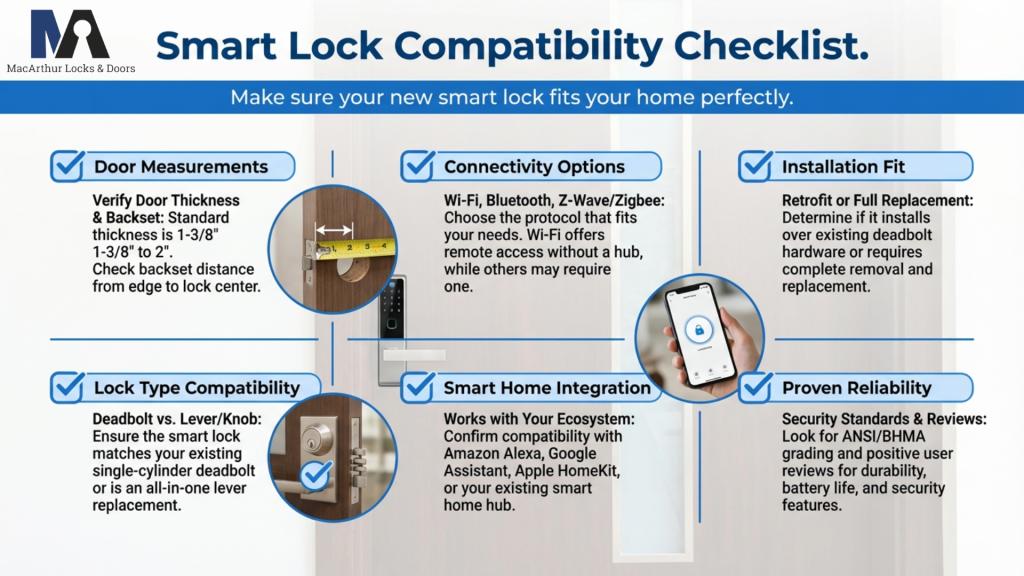
Smart Lock Compatibility Checklist
Before making your purchase, use this checklist to ensure smart lock compatibility:
- Door thickness and backset match lock specifications
- Lock type (deadbolt, mortise, etc.) is supported
- Preferred connectivity (Wi-Fi, Bluetooth, Z-Wave) is available
- Integration with your smart home platform (Alexa, Google, HomeKit)
- The installation method suits your door and living situation (especially for apartments)
- Positive smart lock reviews regarding compatibility and reliability
Why Professional Locksmith Services Matter for Lock Installation
While many smart locks are designed for DIY installation, professional locksmiths bring expertise that ensures your lock is installed securely and functions flawlessly. They can assess your door, recommend the best smart lock for apartments or homes, and handle any compatibility challenges.
Secure Your Home with Expert Smart Lock Installation in Bethesda, MD
Smart lock compatibility is the foundation of a secure, convenient, and connected home. When you understand your door’s specifications, your smart home setup, and the newest Wi-Fi smart locks, you can choose the solution that best meets your needs. Whether you’re a homeowner, renter, or property manager, investing in the right smart lock and professional installation will give you peace of mind and modern convenience.
Ready to upgrade your security? Trust the experts at MacArthur Locks & Doors! Serving Bethesda, MD, and the entire DMV area, we are fully licensed, bonded, and insured. We also provide a comprehensive warranty on all parts and services. With a stellar 4.9 rating on Google reviews, our team is committed to your safety and satisfaction.
Call MacArthur Locks & Doors today at (202) 760-4589 to schedule your smart lock installation or consultation. Experience the best in locksmith services—your security is our priority!